Safari extension for iPhone & iPad

Auto scroll any website in Safari

Read manga, webtoons and long articles hands-free. Set your speed once and let the page come to you.

  • Free download
  • iOS 17+
  • No account needed
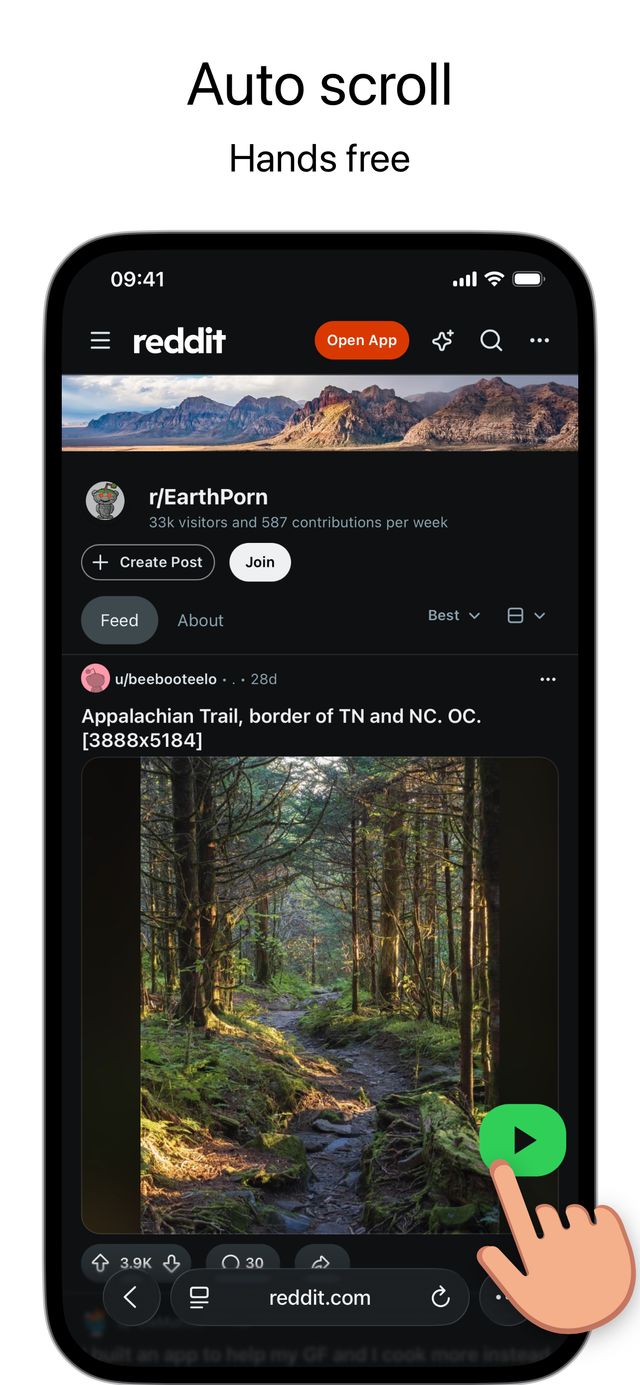
A Reddit feed in Safari scrolling on its own with the Glida play button

Try it right here

Press play and watch the page scroll by itself. Change the speed or the controls – this is how Glida feels in Safari.

Speed
Page
Controls

Touch the page to pause, just like in Safari.

The Reading Room

Why reading rhythm matters

When you read on paper, the page stays still and your eyes do the moving. On a phone, your thumb gets involved too – and every swipe is a small decision about how far to go.

Swipe too far and the line you were reading disappears off the top. Swipe too little and you stop mid-sentence to swipe again. Each correction is tiny, but together they break your focus.

A steady scroll fixes that. The text moves at one pace, so your eyes settle into a rhythm and stay there. You stop thinking about the page and start thinking about the story.
The right pace is personal. A slow romance chapter, a fast action webtoon and a long news article all deserve different speeds – and the best speed is the one you stop noticing.

Try changing the speed now. When it feels like the words arrive exactly as you finish the line before, you’ve found your pace.

That’s all Glida does: it moves the page so you don’t have to. Set it once and read the whole chapter without touching the screen.

When you read on paper, the page stays still and your eyes do the moving. On a phone, your thumb gets involved too – and every swipe is a small decision about how far to go.

Swipe too far and the line you were reading disappears off the top. Swipe too little and you stop mid-sentence to swipe again. Each correction is tiny, but together they break your focus.

A steady scroll fixes that. The text moves at one pace, so your eyes settle into a rhythm and stay there. You stop thinking about the page and start thinking about the story.
60

Like it? Get the same thing on every website in Safari.

Download on the App Store

Stop swiping. Keep your reading rhythm.

Without Glida

Every few seconds you reach for the screen. You swipe too far and skip panels, or too little and lose the flow. Your thumb sets the pace, not your eyes.

With Glida

You pick a speed and the page moves at that pace, line after line. Whether it’s a 200-panel manhwa chapter or a 20-minute long read, you just read.

Start in under a minute

  1. Install Glida

    Download it free from the App Store and open it once.

  2. Turn on the extension

    Settings → Apps → Safari → Extensions → Glida, then allow it on all websites.

  3. Tap play

    Open any page in Safari, tap the Glida icon and press play. Adjust the speed while you read.

Download on the App Store
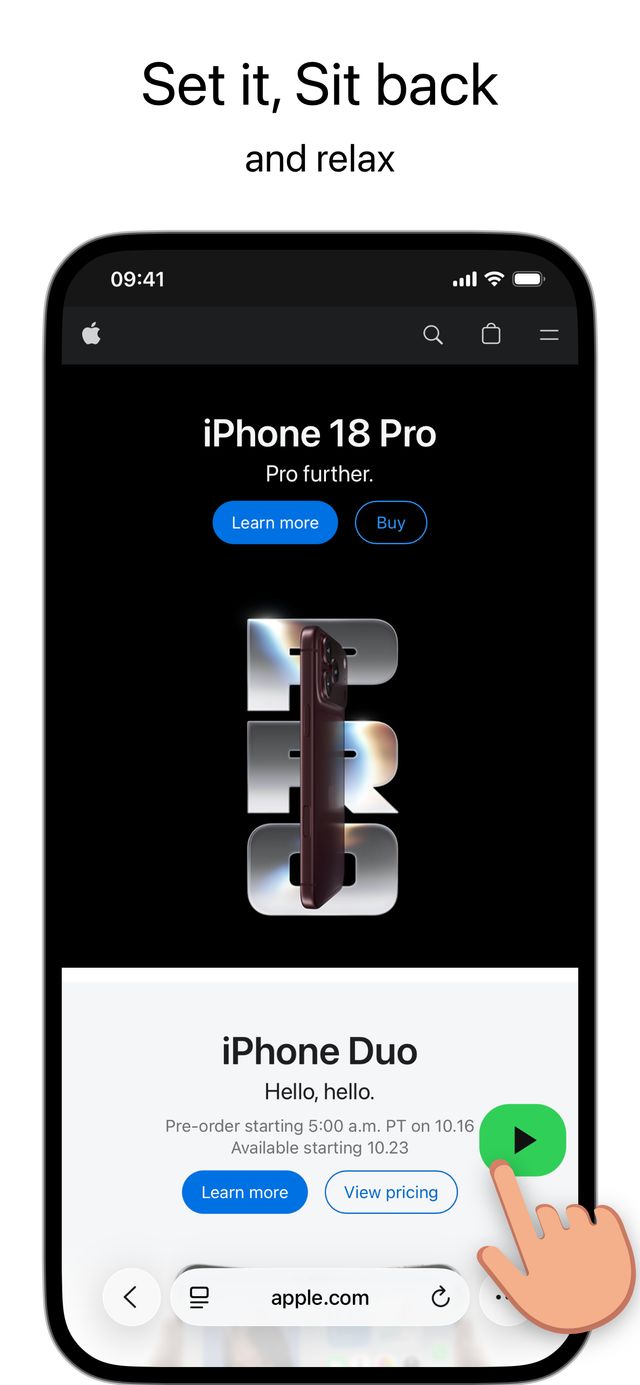
Tapping the Glida play button on a web page in Safari

Pick the controls that fit how you read

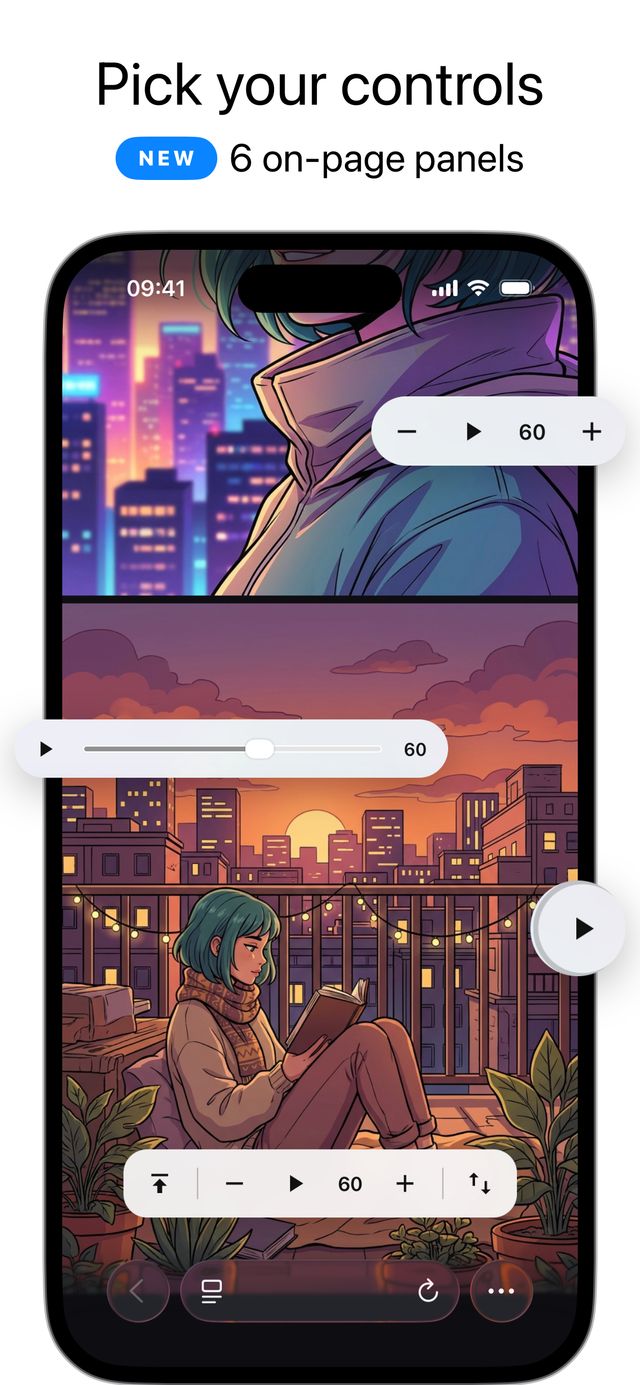
Seven on-page control styles. Glida remembers your choice for each website.

  • ClassicA simple floating play button.
  • Speed PillPlay and fine-tune speed right on the page.
  • Full DockBack to top, speed and reverse in one bar.
  • Progress RingSee how much you’ve read at a glance.
  • Edge TabA slim side tab that stays out of the way.
  • SliderPrecise, teleprompter-style speed control.
  • DotA tiny button for distraction-free reading.
The seven Glida control styles shown on a web page

Made for long reads

  • Manga, manhwa & webtoons

    Vertical chapters flow past at a steady pace, so you never skip a panel.

  • Articles, news & blogs

    Long-form reads without the stop-start of swiping.

  • Feeds & forums

    Lean back and browse Reddit, forums and image galleries.

  • Easier on your hands

    Less repetitive swiping for long sessions, RSI or limited mobility.

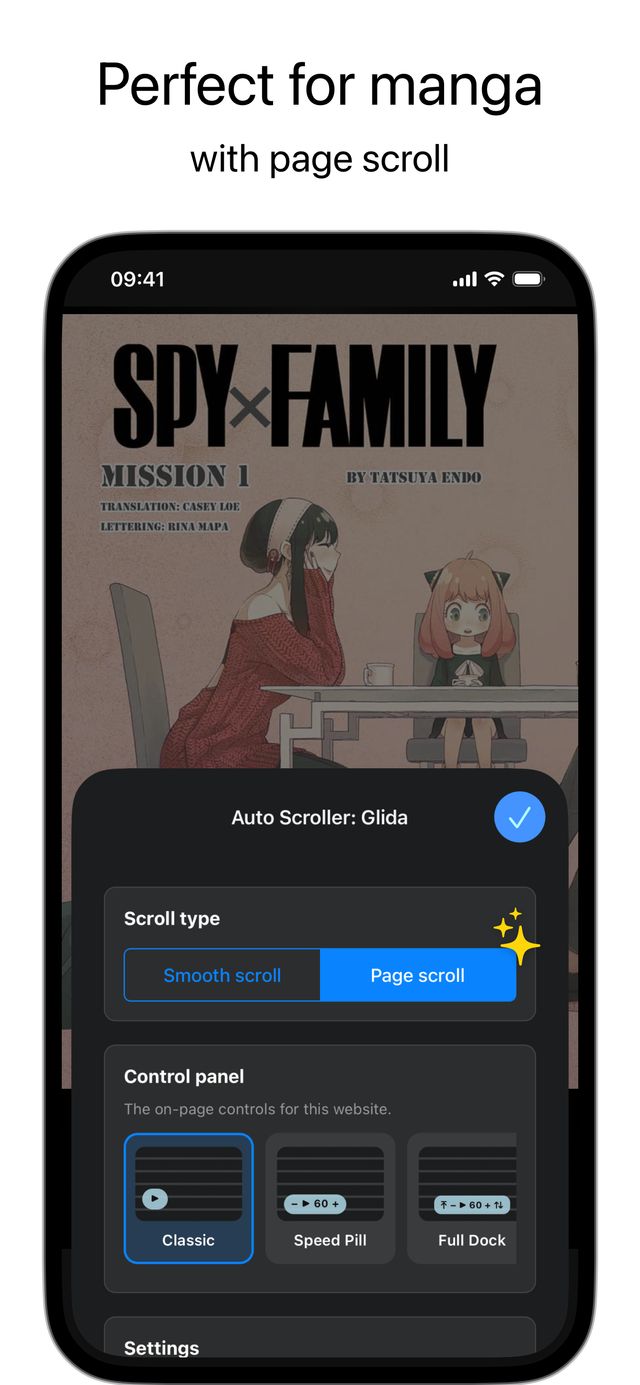
A manga chapter in Safari with Glida page scroll turned on

Everything you need to read hands-free

  • Adjustable speed

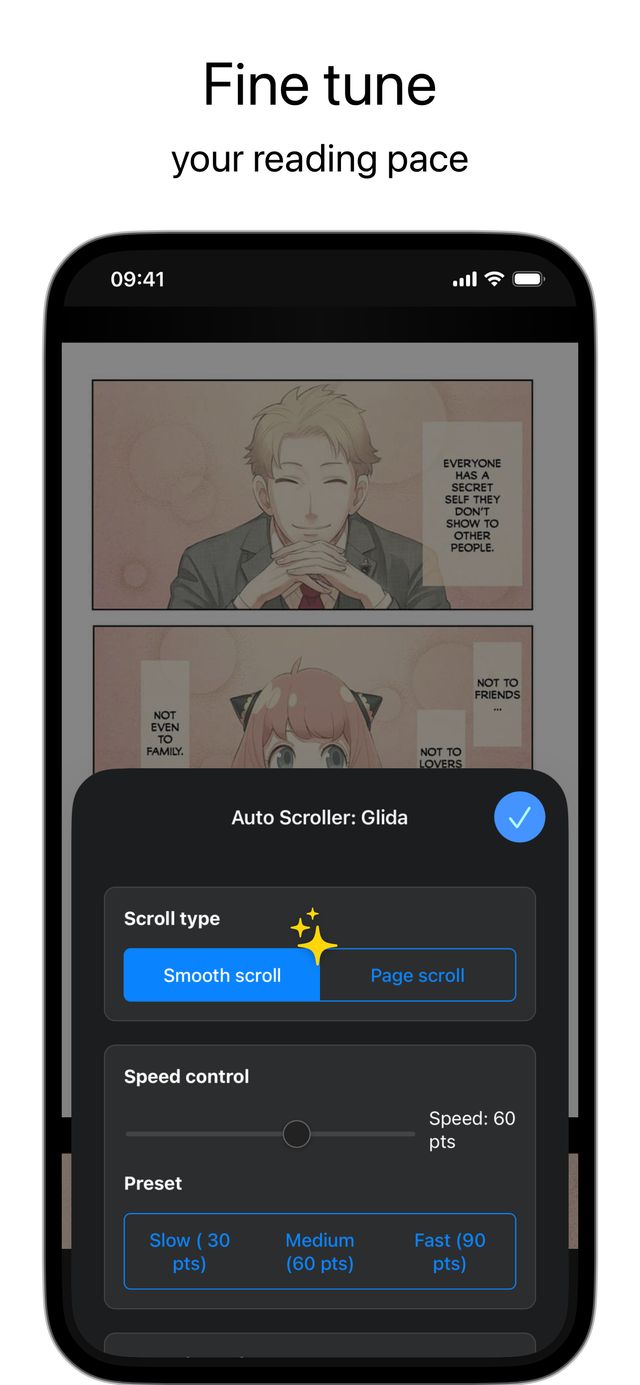
    From slow reading to quick scanning, with Slow, Medium and Fast presets.

  • Custom presets

    Save a speed for manga and another for articles.

  • Per-site memory

    Glida remembers your settings for every website.

  • Pause in one tap

    Tap to stop, tap to carry on right where you were.

  • Loop or stop

    Choose what happens at the bottom of the page.

  • Reverse & sideways

    Scroll upwards, or sideways on horizontal pages.

  • Your colors

    Match the controls to your style, in light or dark mode.

  • Private by design

    Runs on your device. Glida doesn’t collect your browsing.

The Glida panel in Safari with scroll type, speed slider and presets
Download on the App Store

Free to start

Download Glida free and auto scroll with the speed presets. Upgrade to Premium for the full toolkit.

Free

$0

  • Auto scroll on any website
  • Slow, Medium and Fast speeds
  • Pause, loop and auto stop

US prices shown. The App Store shows the price in your local currency. Cancel anytime in your Apple account settings.

Questions & answers

How do I auto scroll in Safari on iPhone?

Install Glida, turn on the extension in Settings → Apps → Safari → Extensions, then open any page, tap the Glida icon and press play.

Does Glida work in Chrome or other browsers?

No. Glida is a Safari extension, and other browsers on iPhone don’t support Safari extensions. It works in Safari on iPhone and iPad.

Does it work on iPad?

Yes. Glida works in Safari on iPhone and iPad running iOS 17 or later.

Can it scroll PDFs or ePub books?

No. Glida scrolls web pages in Safari. It doesn’t support PDF or ePub files.

Is Glida free?

Yes, it’s free to download and auto scroll with the built-in speed presets. Premium unlocks the on-page control styles, the custom speed slider and more.

Does Glida collect my data?

No. All scrolling happens on your device and the extension doesn’t send your browsing anywhere.

Guides

Read hands-free tonight

Free on the App Store for iPhone and iPad.

Download on the App Store